When the meeting's over, you're done.
It records, transcribes, and writes down what actually matters. You just show up. All of it on your Mac. The audio never leaves.
A 30-minute meeting shouldn't cost you another 30 writing it up.
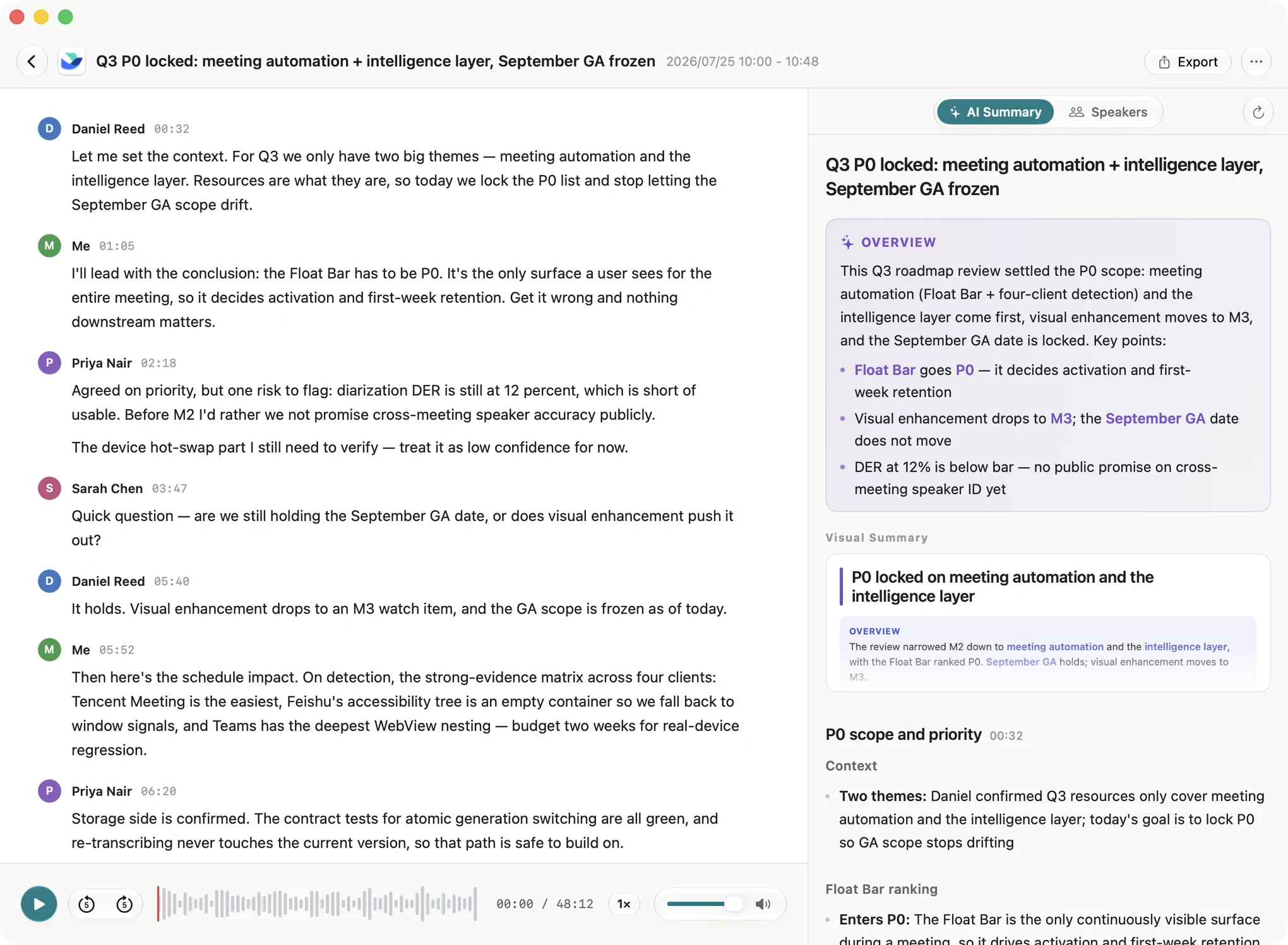
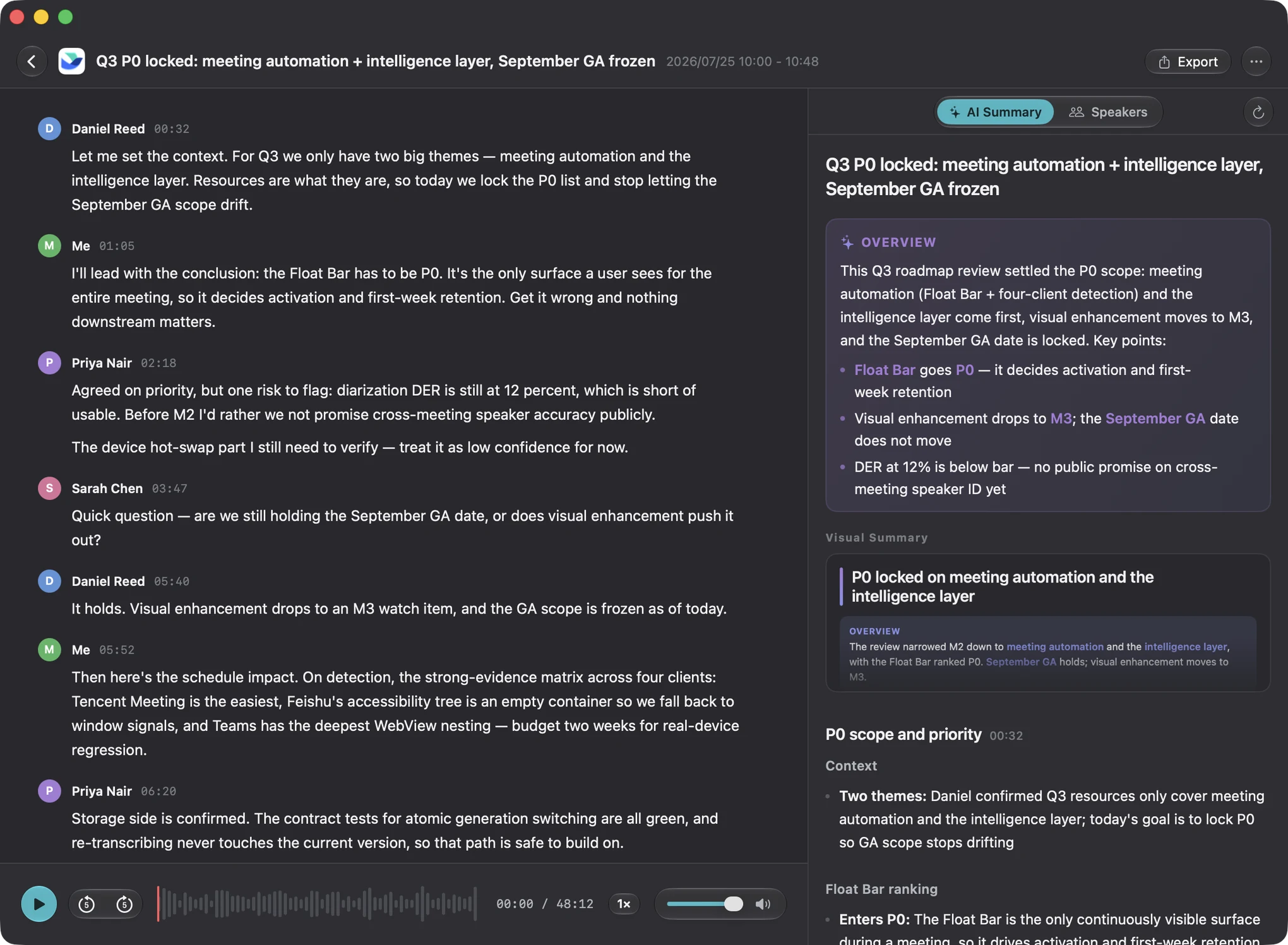
Recording starts when your meeting does
Join a call and a small bar appears in the corner. Ten seconds after the last person leaves, it stops and starts transcribing. You don't take a single note — handwritten notes mostly never get opened again, so let the machine keep them and just listen.
Rather do it yourself? ⌥⌘R starts and stops anywhere — in-person meetings included.
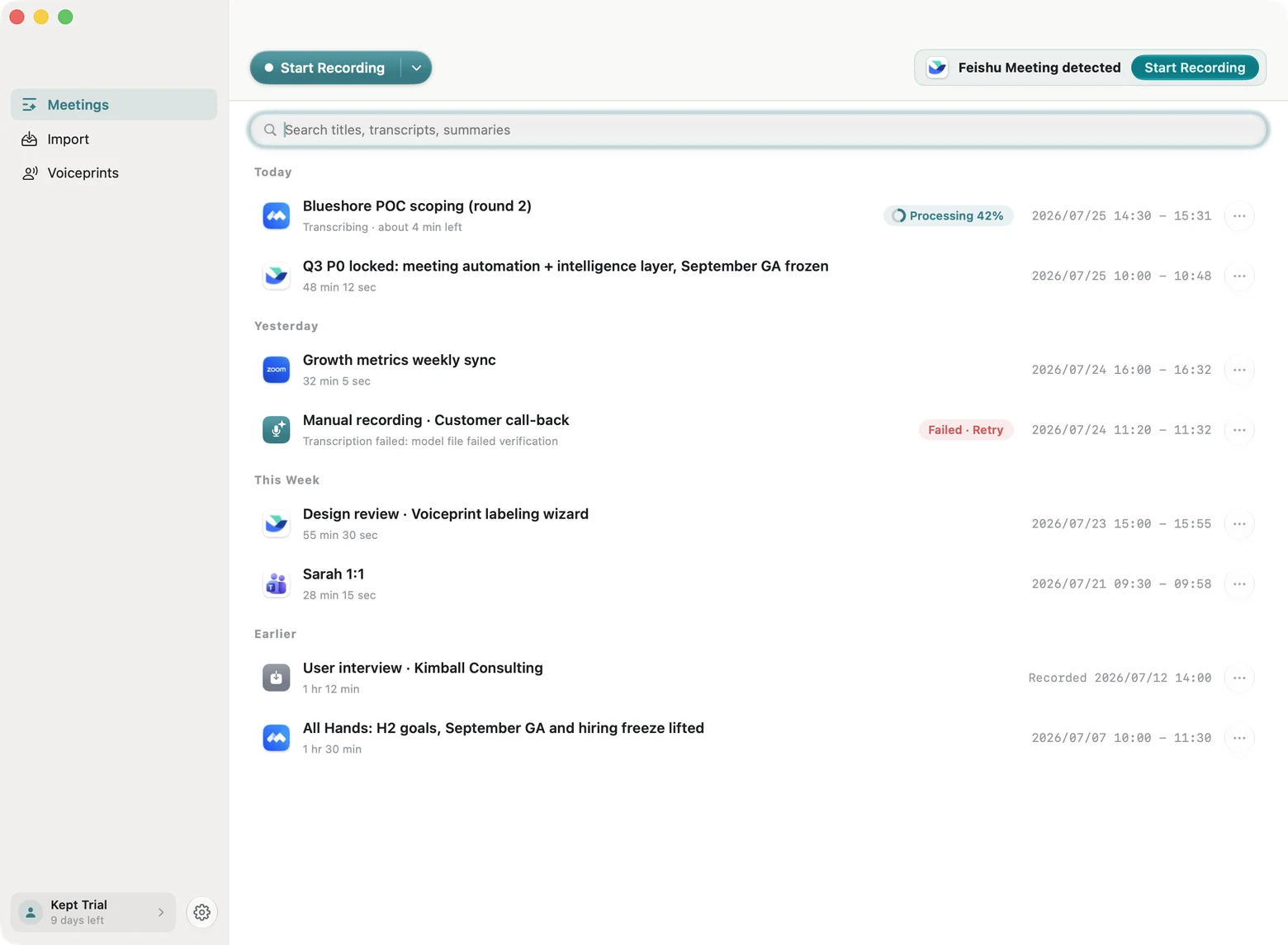
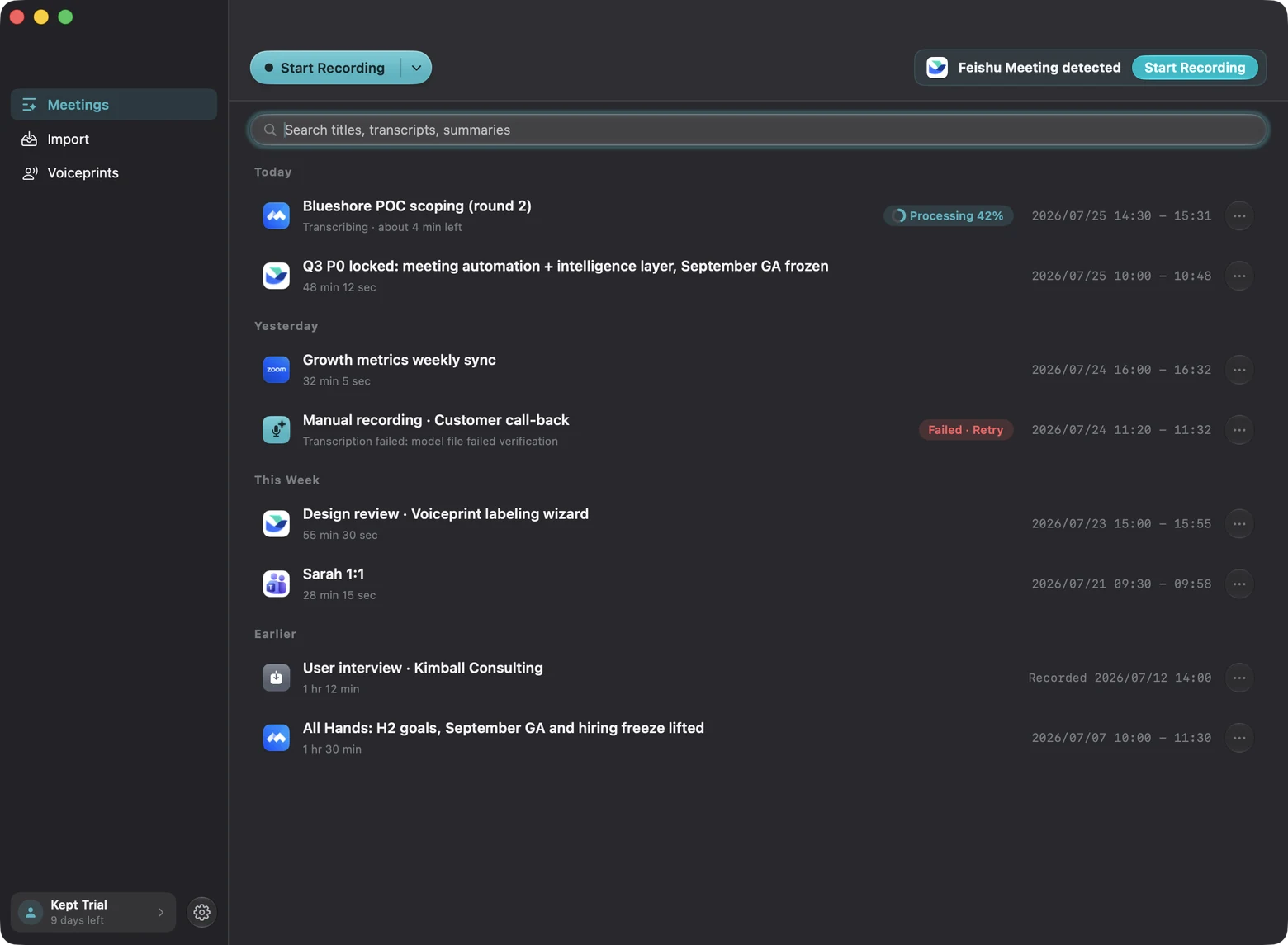

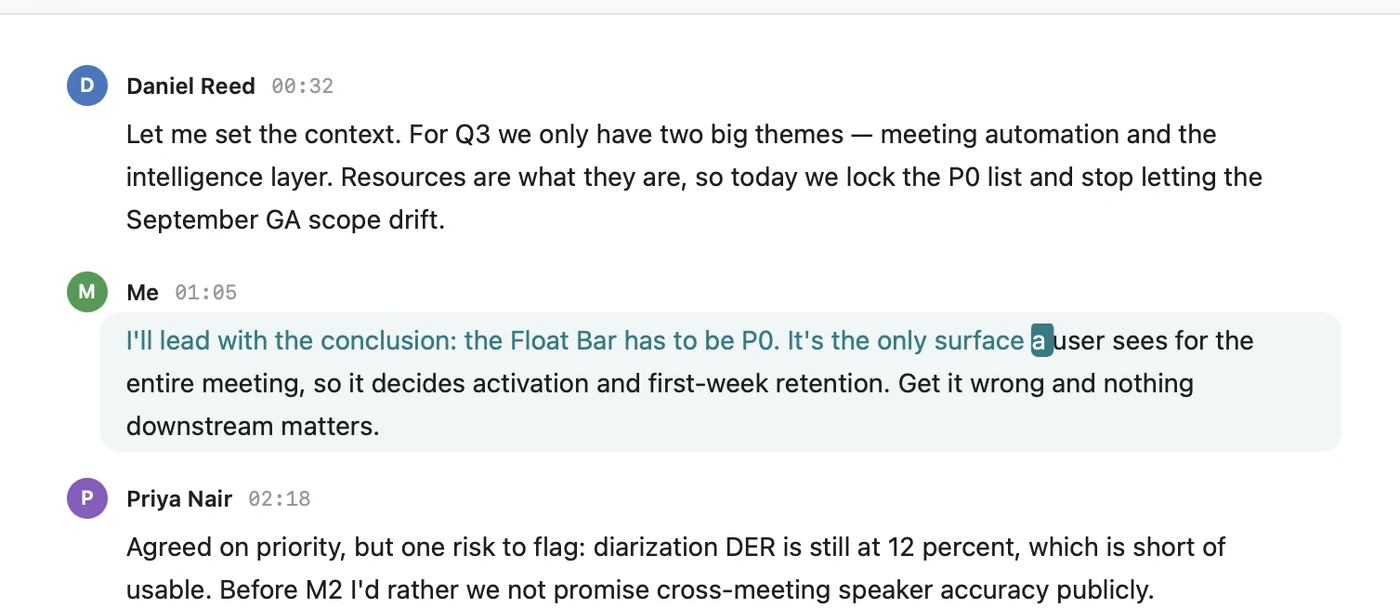
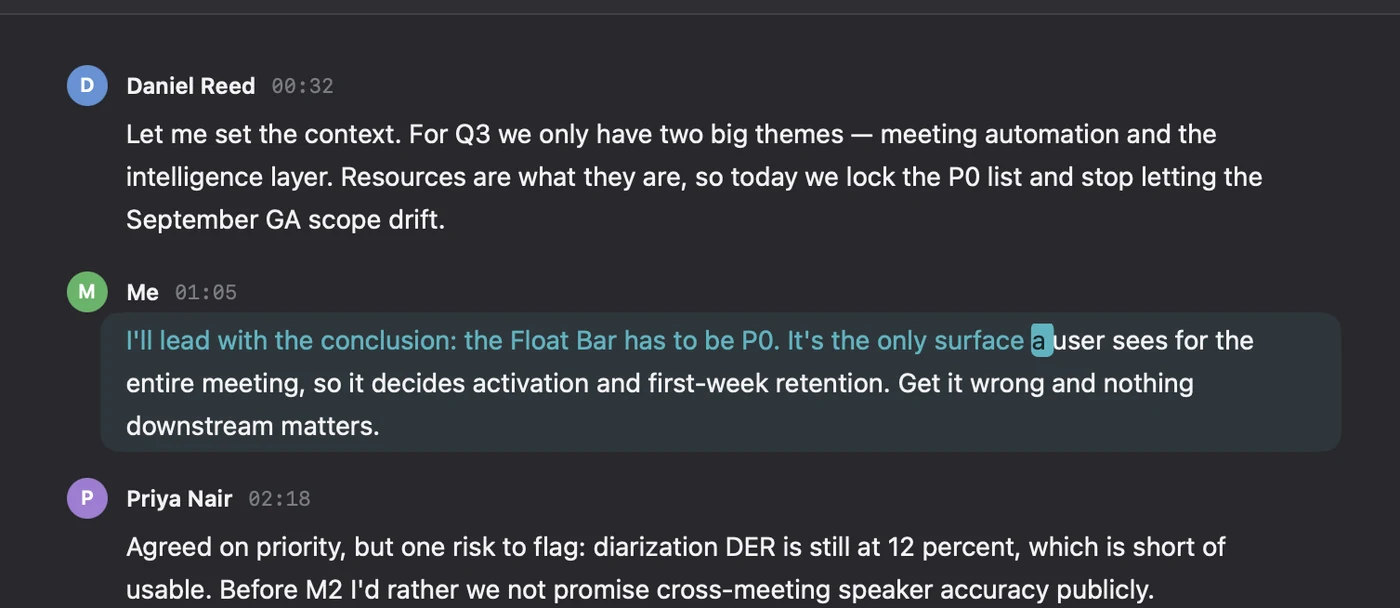
Reads like a document. Click a word, hear it.
FireRedASR2 for Chinese, Parakeet for English — both running on your own machine. Which second each word lands on is measured from the audio itself, not estimated from word count. Words light up as playback moves; click any one of them and the audio jumps there. Mixed Chinese and English stays intact.
A one-hour meeting takes about 12 minutes to process, speakers included. Nothing goes online.
Not another summary nobody reads
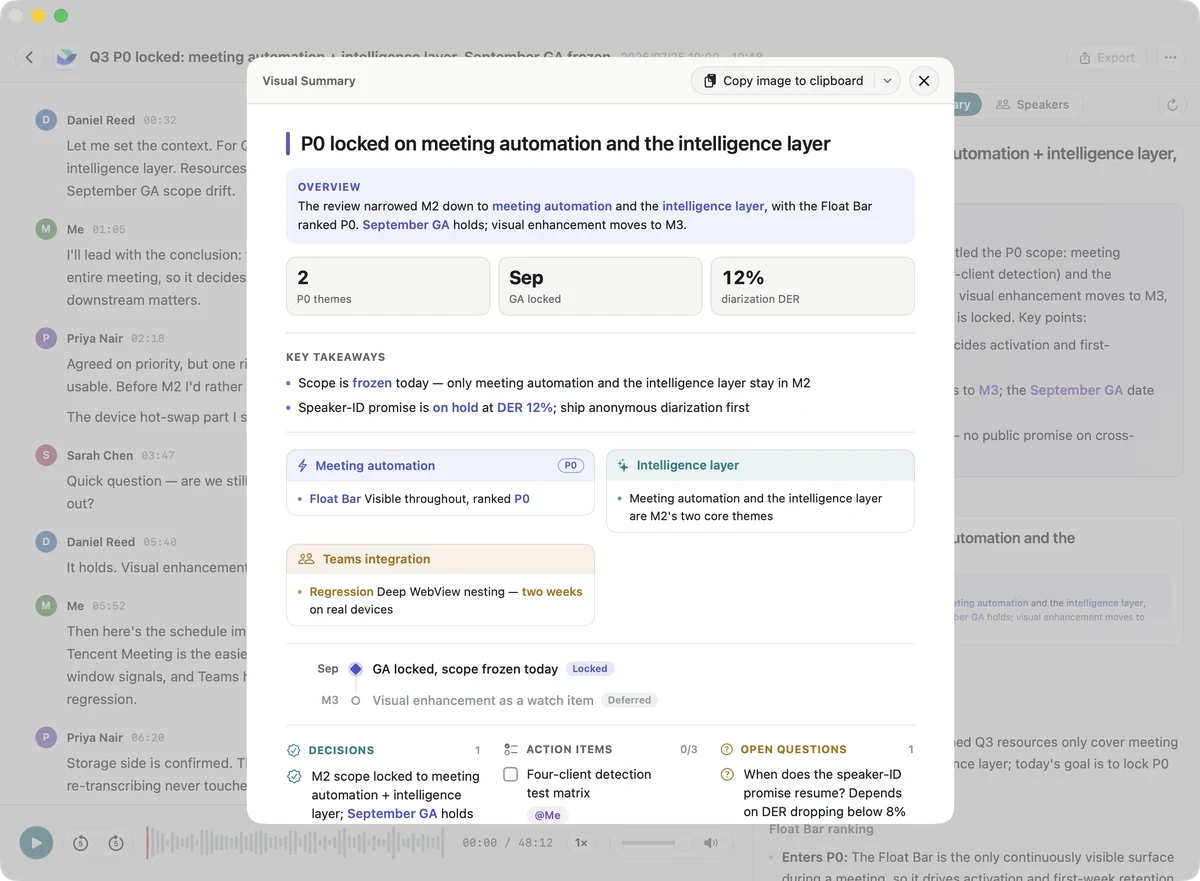
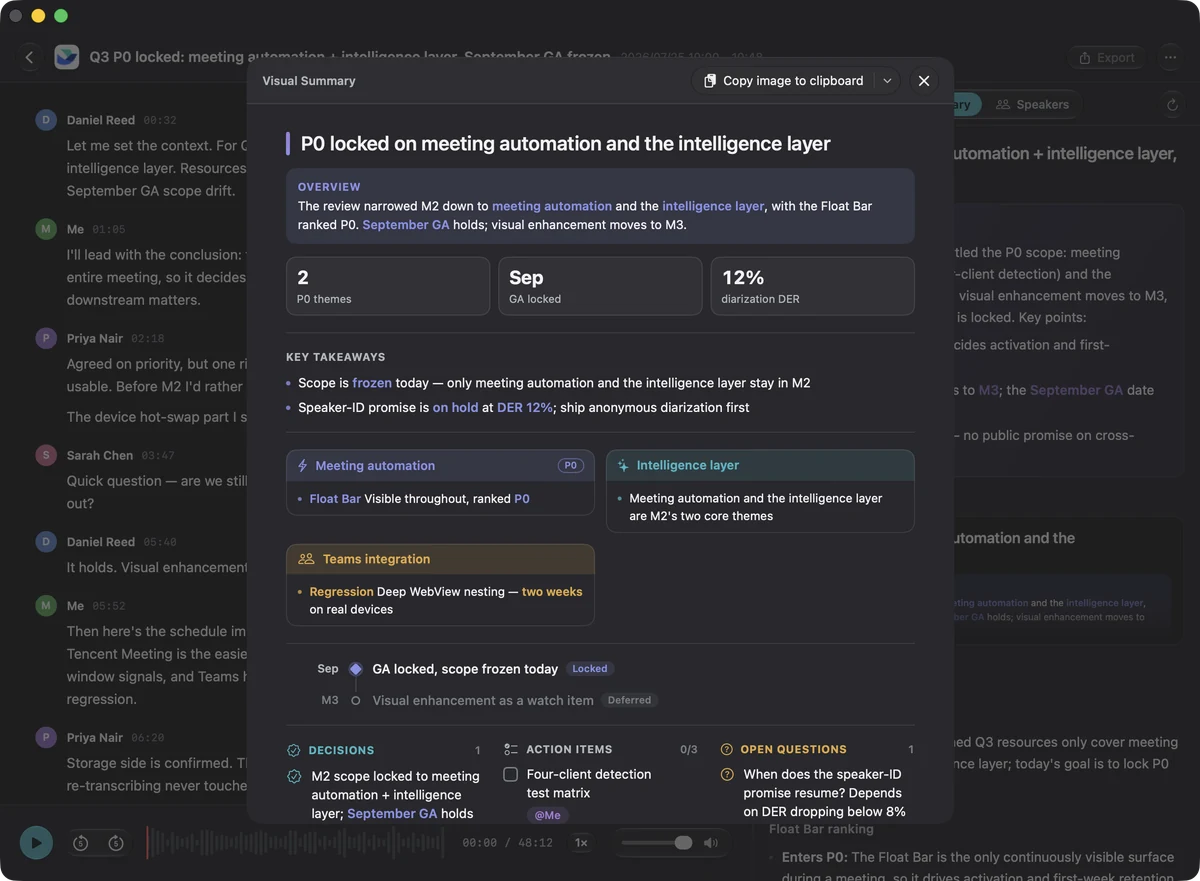
Most AI notes just tell you the meeting again. They look thorough, and the person receiving them ends up asking another AI to shorten it. Kept writes outcomes only: what was decided, who owns it, when it's due, and what's still open. Don't trust a line? Click it — the player jumps to that moment and the transcript highlights the passage. Short enough to read, sourced enough to forward.
There is also a one-page visual summary you can paste straight into an update. Notes are generated with your own AI account: the key stays in your Keychain, and only text is sent.
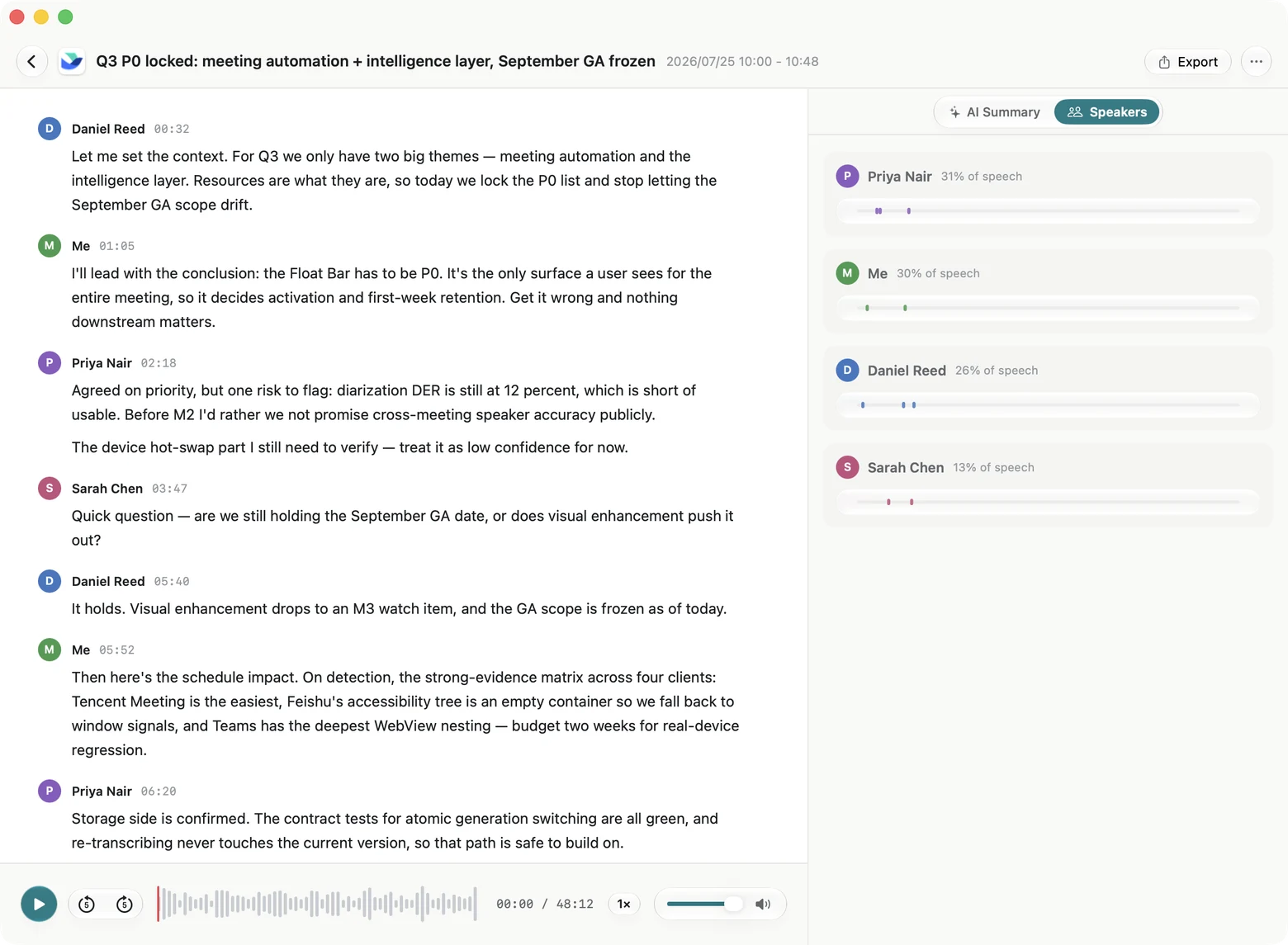
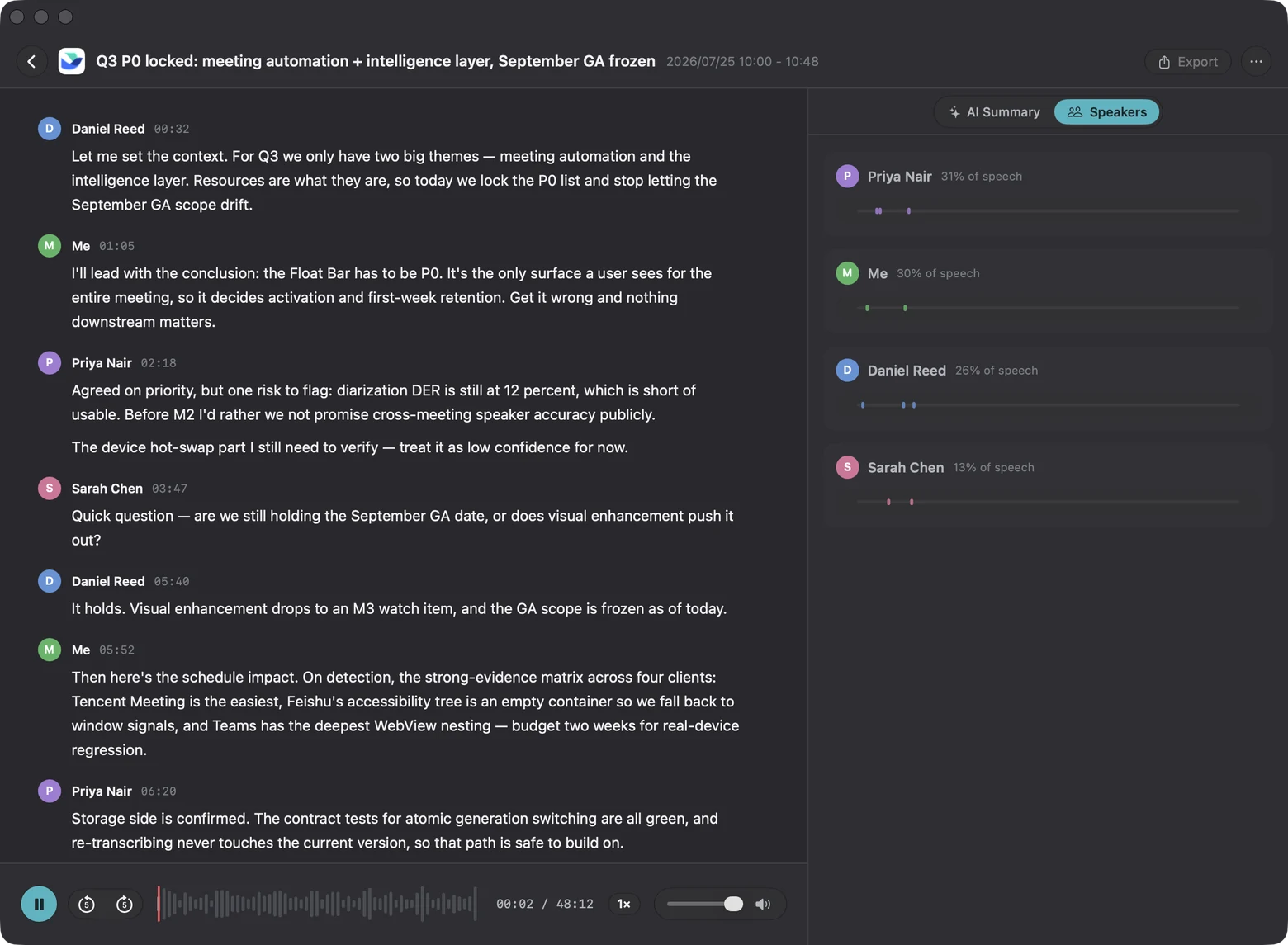
It can tell who said which line
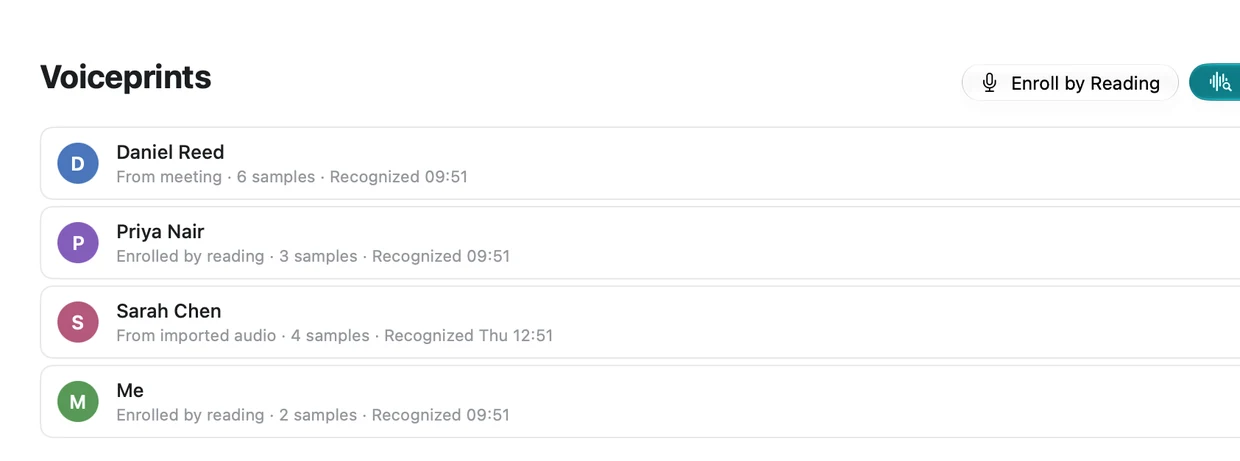
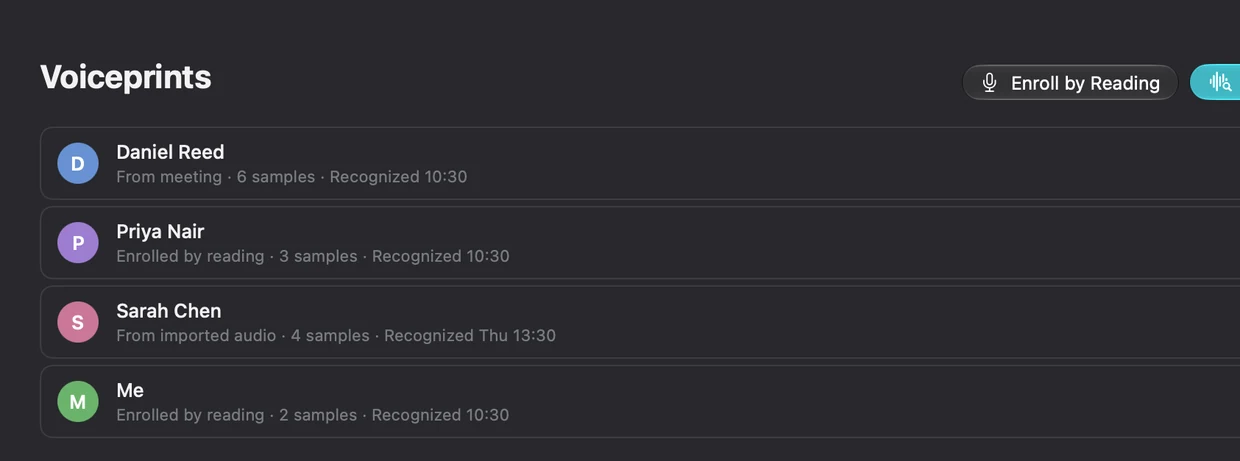
Plenty of tools drop a twenty-person call into one single "speaker" — you read it back and have no idea who said what. Kept separates everyone. Enroll a colleague's voice once and their name shows up in every meeting after that. When it isn't sure, it leaves the name off: below the match threshold you get "Speaker 1", never a guess.
Speaker attribution is 88.0% accurate on English and 82.2% on Chinese, measured on 25 hand-labelled public meeting recordings. Voiceprints live only on your Mac and can be deleted for good at any time.
And all of this, also on your Mac
Mic only, mic plus one app, or mic plus everything your Mac plays. In-person meetings and browser calls both work.
M4A, MP3, WAV, MP4, MOV. Drop in a batch and they queue up; a live recording always goes first.
FLAC, levels evened out, tracks aligned. On speakerphone it won't record the other side twice.
Search titles, transcripts and notes together. Click a result and land on that moment in the audio.
Markdown, TXT, or a mixed m4a. Copy notes as text, or the visual summary as an image.
Let Claude Code or Codex read your meetings. Read-only, text-only, off by default — switch it off and access stops.
Resumable, checksum-verified, and it picks the fastest mirror. Once installed you can stay offline for good.
⌥⌘R starts and stops. Close the window and the menu bar item keeps recording.
Accuracy, with the method published too
These numbers run on our own set of real meetings plus the public standards (AISHELL-4, AMI, VoxCeleb1-O, CN-Celeb). Every release is measured again, and the method, the definitions and the raw results go out with it. A new model only ships when it wins on two independent measures — one is not enough.
If a release's report isn't out yet, this whole block disappears. We don't publish filler numbers.
Apple Silicon · 25 sessions / 15.2 h of hand-labelled speaker gold · 2026-07
You can verify that the audio never leaves this Mac
Some tools say "local" and still stream your audio to a third-party transcription service in real time — they just don't keep the recording. Kept transcribes offline. Apart from the four things below it sends nothing out, and this list is printed inside the app so you can sit with a firewall and count:
- License activation, renewal, deactivation
- Checking whether a new version exists
- Downloading the speech models (HuggingFace or a mirror)
- The AI service you configured — text only, and only after you approve it
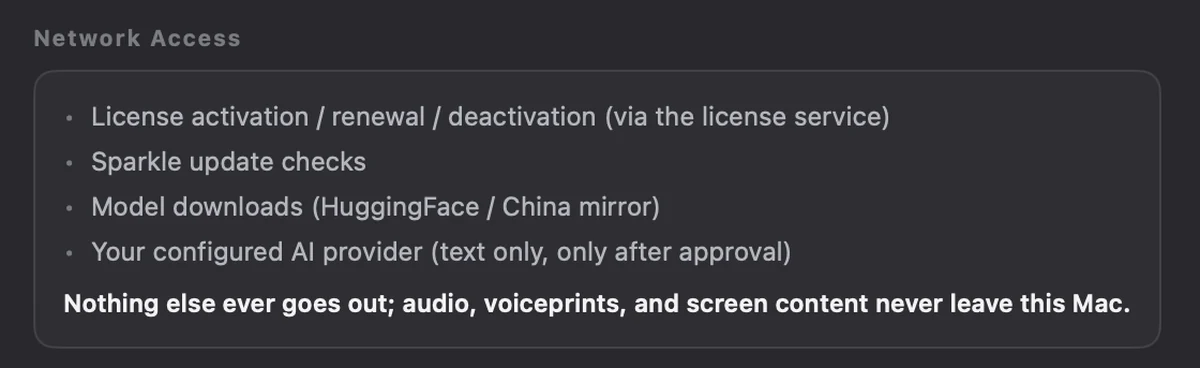
Audio, voiceprints and screen content never leave this box
From month 13 you can renew at $39.9/yr — that only buys eligibility for new versions. Skip it and the build you have keeps working forever with nothing locked. More seats: 5 Macs $219, 10 Macs $399.
Notes run on your own AI account (bring your own API key), so that cost goes straight to the provider and never through us.
Prices are in USD. The currency, exchange rate and tax you actually pay are shown at Creem checkout; Creem handles payment and invoicing as merchant of record.
Frequently asked
Does the audio get uploaded?+
No, not under any circumstance. Recording, transcription, voiceprints and screen content are processed and stored on your Mac. The only thing that ever leaves with meeting content in it is the text you send after configuring an AI service and approving it. Without one, everything except the notes works fully offline.
Why do I need my own API key?+
Notes are written by a large model. Bringing your own key means you connect straight to your provider, only text is sent, you pay them directly, and the key sits in your Keychain. We neither hold your meeting content nor collect that money.
Which meeting apps are supported?+
Automatic detection covers Zoom, Microsoft Teams, Google Meet, Slack, Feishu and Tencent Meeting. For a call in a browser — or any app not on that list — recording mode works just as well: it captures your system audio plus your mic, so the app doesn't matter.
What happens to my data when the trial ends?+
It all stays on your Mac; not a byte gets deleted. Your recordings and transcripts stay readable and exportable. Only automatic processing of new meetings needs a license.
What about Intel Macs or Windows?+
Not for now. On-device transcription leans on Apple Silicon's Neural Engine and unified memory. Intel Macs and Windows can't reach the same speed, and we'd rather not ship a version that technically runs but is miserable to use.
What if I don't renew after 12 months?+
The one-time price includes 12 months of updates. After that renewal is optional and only affects access to new versions. Skip it and your build keeps working forever, with every feature unlocked and your data untouched.
How much disk does it use?+
About 1 GB for the speech models, downloaded on first launch (the English pack is optional). After that it is your own recordings: lossless two-track runs roughly 500 MB per hour. You can also delete one meeting’s audio and keep its transcript and notes.
Do I have to tell people I am recording?+
That depends on where you are — many places require notice or consent. It's not a call we can make for you: follow your local rules and say so clearly when you need to.
Where do voiceprints live? Can I delete them?+
Only on your Mac, never uploaded. Delete one or all of them at any time; the deletion is irreversible, so it asks you to confirm. Past meetings then fall back to "Speaker 1", "Speaker 2".
How do refunds work?+
Within 30 days, no questions asked: email us, or request it yourself in the Creem customer portal. No reason needed.
Let Kept take your next meeting
14-day full trial · no credit card · audio never uploaded
Your meetings, kept.
v0.9.0 beta · macOS 15+ · Apple Silicon